Summary
1. VSVim
1.1. Fail to use Ctrl+[
Set Visual Studio language to English:
Tools => Options => Environment => International Settings => English
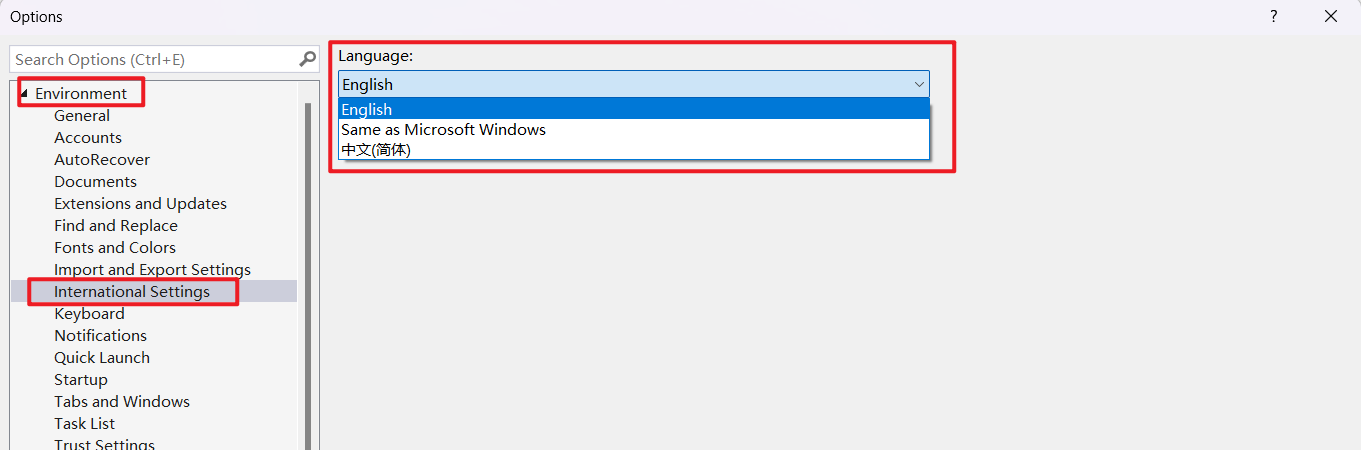
Restart VS
Delete the keyboard mapping related to
Ctrl + [- Enter Page Tools => Options => Environment => Keyboard
Delete
SolutionExplorer.OpenFilesFilter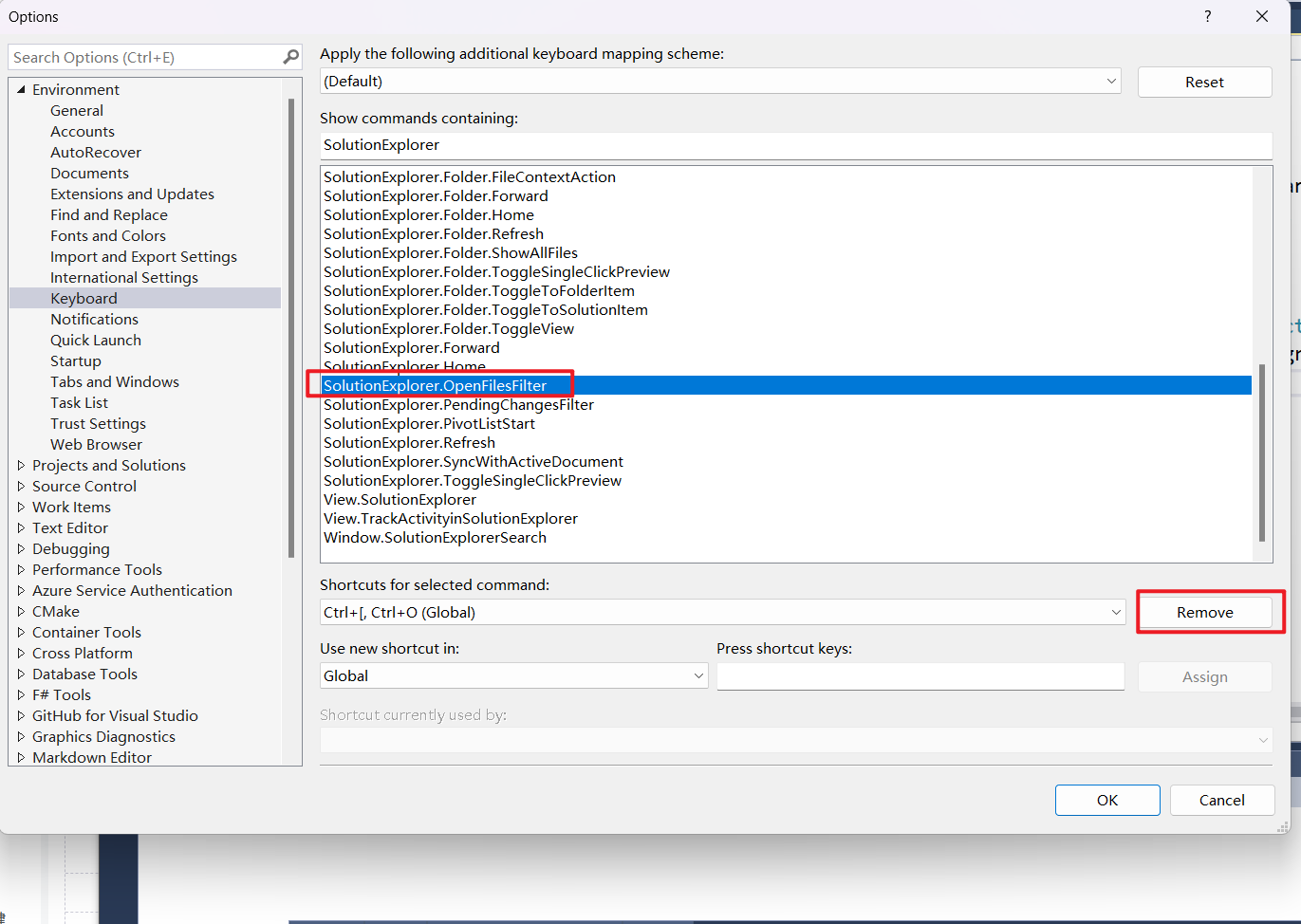
Delete
SolutionExplorer.PendingChangesFilter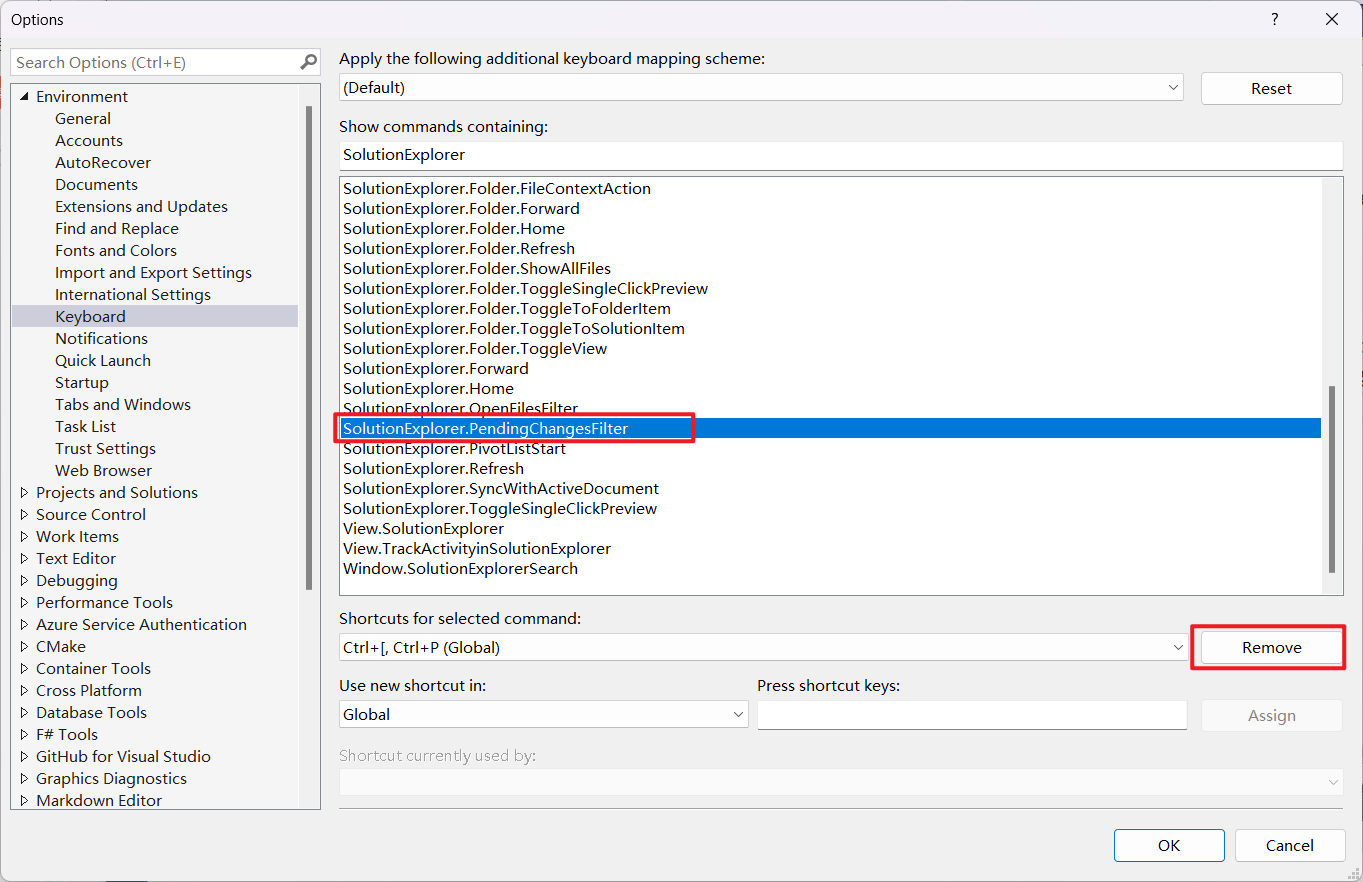
Delete
SolutionExplorer.SyncWithActiveDocument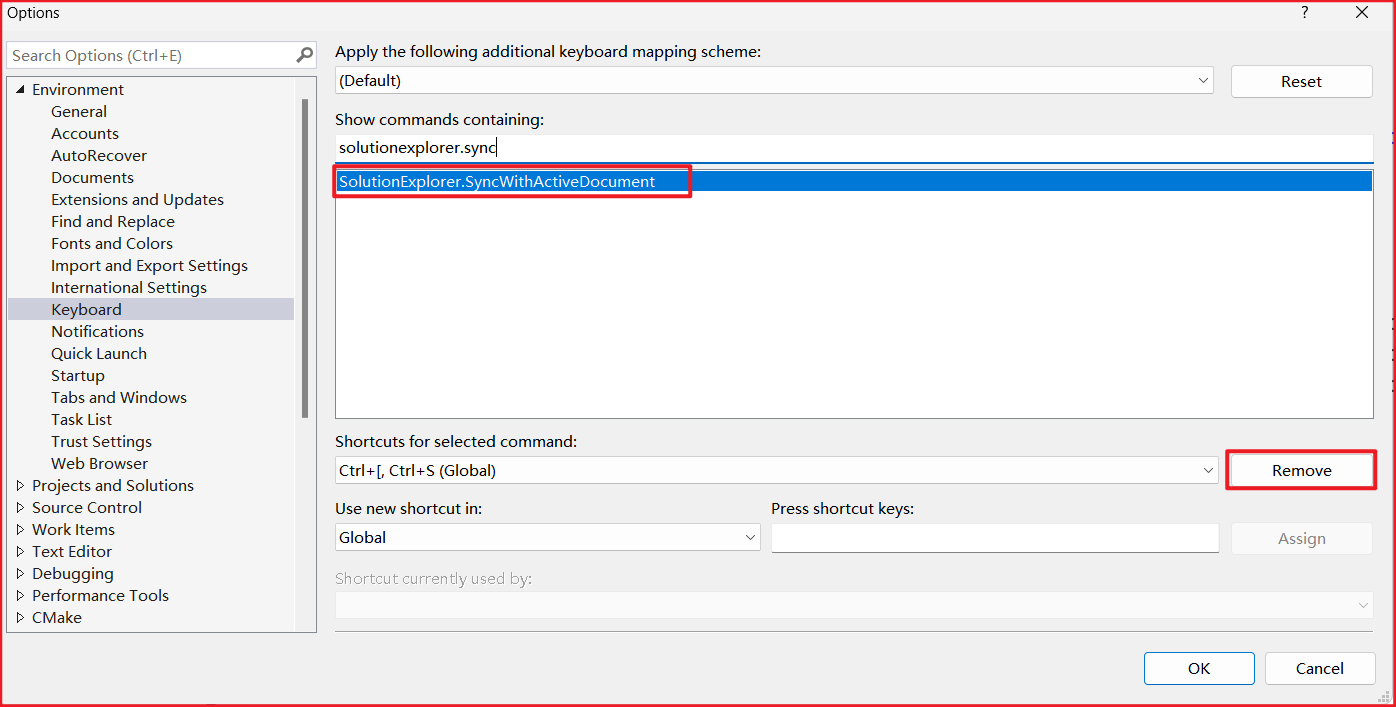
Set the language of VS to the default language, restart VS.
1.2. 键位设置
除以下键位采用VisualStudio外, 其他均采用VsVim
Ctrl+SCtrl+KCtrl+O
2. VSCodeVim
2.1. Chinese input repeats character in insert mode
Set editor.experimentalEditContextEnabled to false.
{
 "editor.experimentalEditContextEnabled": false
}
3. vim-plug
vim 插件管理器
安装 vim-plug
Linux
 curl -fLo ~/.vim/autoload/plug.vim --create-dirs \
     https://raw.githubusercontent.com/junegunn/vim-plug/master/plug.vim
Windows
 iwr -useb https://raw.githubusercontent.com/junegunn/vim-plug/master/plug.vim |`
     ni $HOME/.vim/autoload/plug.vim -Force
在
~/.vimrc中添加下列信息并执行:w保存call plug#begin() " List your plugins here Plug 'tpope/vim-sensible' call plug#end()执行
:source ~/.vimrc或直接重启vim- 按2.中示例添加新插件, 执行以下命令即可完成
:PlugInstall安装插件(安装在~/.vim/plugged):PlugUpdate更新插件:PlugClean!去掉不在List中的插件
4. plugin
一般不需要安装任何插件, 个人建议可不使用插件功能
| 插件 | 说明 | 安装方式(使用vim-plug) |
|---|---|---|
| vim-airline | 状态栏美化 | Plug 'vim-airline/vim-airline' |
| vim-sensible | 一些较通用的默认配置 | Plug 'tpope/vim-sensible' |
| godlygeek/tabular | 代码对齐 | Plug 'godlygeek/tabular' |
5. .vimrc
$ vim ~/.vimrc
call plug#begin()

" List your plugins here
Plug 'vim-airline/vim-airline'
Plug 'tpope/vim-sensible'
Plug 'godlygeek/tabular'

call plug#end()

" Indent
set shiftwidth=4
set tabstop=4
set expandtab
set softtabstop=4

" Backup
set nobackup
set nowb
set noswapfile

" Number
set nu